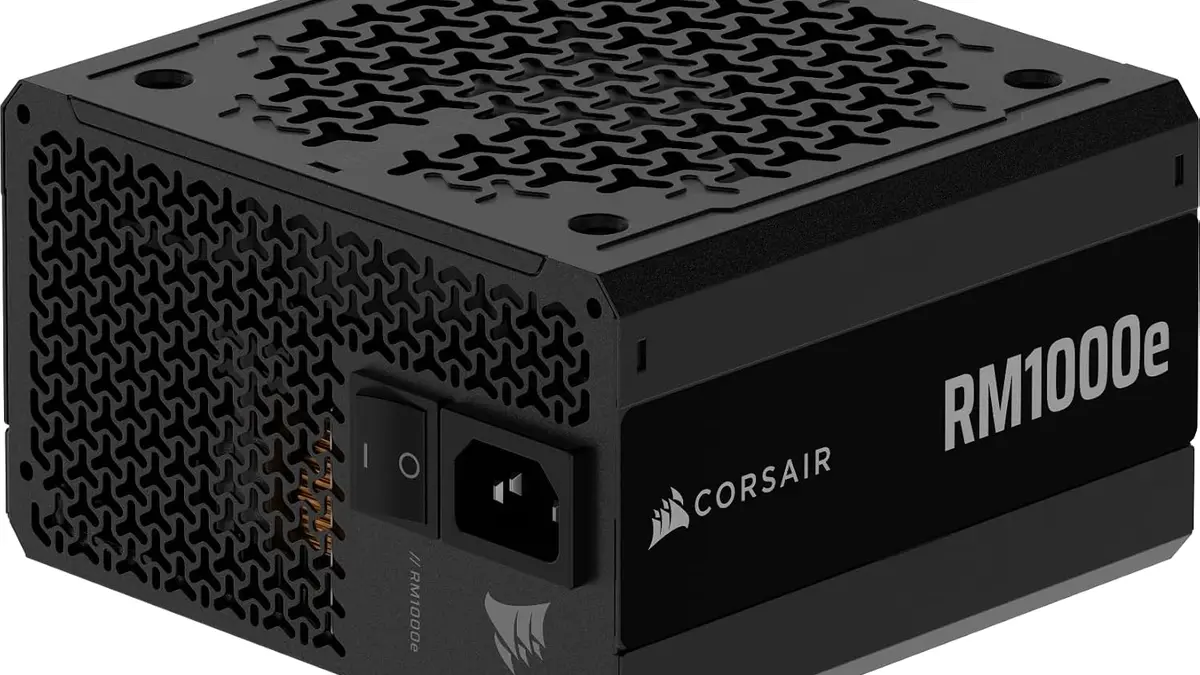
The 2026 Corsair RM1000e is the previous RM1000e with a thermistor in the cable comb. Tom's Hardware put it more elegantly, calling it "less a new power supply than a familiar one with a much better cable attached", but the substance is the same: the HEC-built RMe platform carries over, the 140mm chassis carries over, the 7-year warranty carries over, and the headline feature lives entirely in a 650mm length of wire.
That wire is the ThermalProtect 600W 12V-2x6 cable, which arrived with the refreshed RM850e and RM1000e on 18 August 2026 at $139.99 and $179.99 respectively. It monitors its own temperature 30mm back from the GPU-side connector and, above 65°C, signals the card through the connector's Sense pins to stop drawing power. No software, no USB header, no GPU vendor cooperation. It will do this on any PSU and any card with a native 12V-2x6 connector, including hardware Corsair did not make.
So there are two questions. Does the underlying unit measure any better than the one it replaces, and does the cutoff work? The first has answers. The second, awkwardly for a feature that is the entire reason this product exists, does not have a published one yet.
The two units, side by side
| Metric | RM1000e (pre-ThermalProtect) | RM1000e 2026 ThermalProtect |
|---|---|---|
| Platform / OEM | HEC RMe | Same HEC RMe design |
| Efficiency badge | 80 Plus Gold, Cybenetics Gold | Cybenetics Platinum ETA, LAMBDA A |
| Cold efficiency, 115VAC | 90.4% | 90.4% |
| Cold efficiency, 230VAC | 92.3% | 92.4% |
| 12V ripple, max | 36 mV | 42 mV |
| Noise | 26.80 dBA LAMBDA average, 115VAC (2022 ATX 3.0 sample) | LAMBDA A badge, no dBA figure published |
| GPU cable | Standard 12V-2x6 | ThermalProtect 600W, 650mm, sensor 30mm from connector, 65°C trip |
| 12V rail | Single rail | Single rail, 83.3A / 1000W, rated to 50°C ambient |
| Capacitors | 105°C rated | 105°C rated, Teapo |
| Warranty | 7 years | 7 years |
| Price | About $170 (May 2025) | $179.99 (August 2026) |
One caution on that table. The Cybenetics figures on the left come from evaluation 2087, which tested an ATX v3.0 RM1000e on 4 November 2022 and returned 89.39% average efficiency at 115VAC, 91.31% at 230VAC across more than 1,450 load combinations. The cold efficiency numbers come from Tom's Hardware's review of the ATX 3.1 revision published 14 May 2025. Those are different samples measured different ways, and a weighted sweep across 1,450 load points is not the same animal as a single-point cold reading. Do not subtract one from the other and call the difference progress.
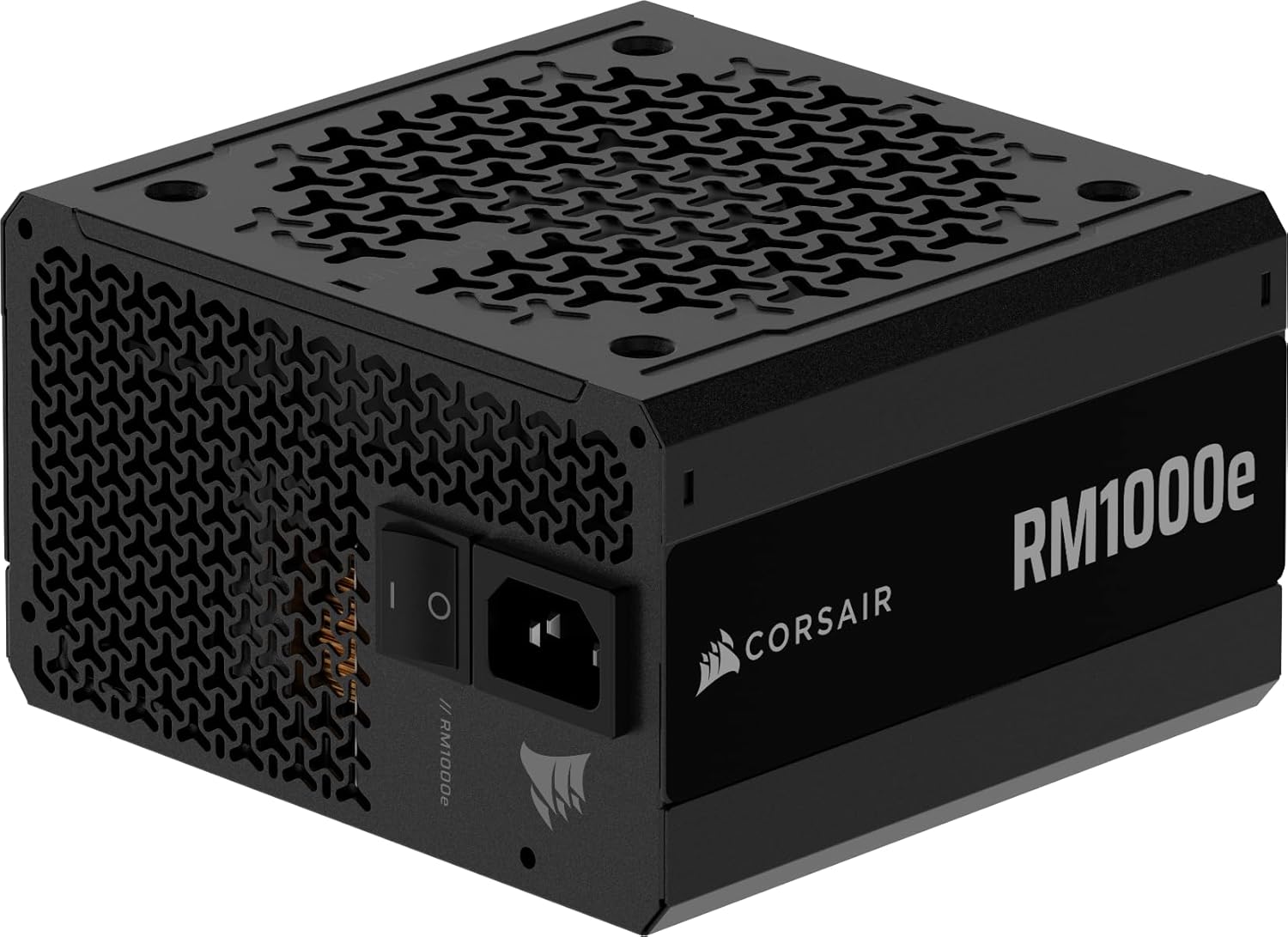

A Platinum badge sitting on a flat efficiency curve
The efficiency story is the part where the marketing and the measurement diverge most visibly. Corsair's product page advertises Cybenetics Platinum, up to 91%, and every launch write-up repeated it. The measured single-point cold figures moved from 90.4% to 90.4% at 115VAC and from 92.3% to 92.4% at 230VAC.
A tenth of a point is noise. The badge nonetheless moved a full tier, and that is not necessarily dishonest: Cybenetics ETA is an average across a very large load matrix, so a platform can cross a threshold by improving light-load and mid-load behaviour without the 50% cold number shifting at all. The problem is that we cannot inspect the sweep. At the time of the Tom's Hardware review there was no published Cybenetics database entry for the ThermalProtect revision and no 80 PLUS filing; a related evaluation page is login-gated. Greek outlet TheLab.gr reports the unit retains 80 PLUS Gold while Cybenetics measured Platinum-level efficiency, which if accurate is the least surprising outcome available, because the old unit missed Platinum on the 94%-at-50%-load requirement and nothing in the platform changed to fix that.
What Corsair has done is publish a badge and not yet publish the data behind it. Verification requires the Cybenetics entry to go public. Until it does, treat the Gold-to-Platinum jump as a certification result rather than a performance one.
Ripple got worse, and it does not matter
Maximum 12V ripple went from 36mV on the earlier unit to 42mV on the 2026 model. That is a regression, it is real, and the ATX ceiling is 120mV. The 2022 Cybenetics sample managed 24.57mV at full load with 1.01% regulation on 12V, 18.40mV and 0.77% on 5V, 19.00mV and 0.54% on 3.3V, so the platform has always had headroom to spare on this axis.
Six millivolts on a rail with 78mV of margin is not a build decision. Tom's Hardware calls efficiency, ripple and regulation on the new unit "strong" and "tight", which is fair, and Corsair has not published a 12V regulation percentage for the ThermalProtect revision that would let anyone check whether it improved on the 0.9% the ATX 3.1 unit posted. If you were hoping the refresh cleaned up the transient response for a 5090-class card, there is no evidence either way in the public record.
Fanless to 500W, with one number missing
Zero RPM mode holds the fan off to roughly 500W, which covers a 4080-class build at gaming load almost entirely and a 5090 build not at all. The unit carries a LAMBDA A noise badge. Nobody has published a dBA curve for it.
The old unit has one: 26.80 dBA average at 115VAC and 27.15 dBA at 230VAC in the 2022 Cybenetics evaluation. That is quiet, and since the chassis, the fan and the 140mm footprint are unchanged, there is no mechanism by which the 2026 unit should be louder. We just cannot show you the chart.
What the cable does, mechanically
Corsair's own technical explainer is unusually specific, which is to its credit. The monitoring hardware sits in a cable comb 30mm from the GPU end. Above 65°C it drives the Sense pins to tell the card to stop pulling current, in milliseconds, which Corsair characterises as effectively instant. The user-visible result is a black screen while the rest of the system keeps running, because only the GPU's power draw has been cut.
The design limitation is geometric and Corsair does not hide it. The sensor watches the cable, not the pin interface inside the connector, so it is, as Tom's Hardware puts it, blunter than per-pin current monitoring. A single pin carrying a disproportionate share of 600W at a bad crimp gets hot at the contact first and the cable comb 30mm downstream some time later. Whether that lag is measured in seconds or in minutes determines whether 65°C is a protective threshold or a post-mortem one.
Corsair also names the failure mode it expects to catch: a cable that is not fully seated. The remediation guidance is to power down, let the cable cool, and reseat until the retention clip clicks with no grey section of the connector visible. Dual-tone connectors give you a visual confirmation of seating depth, which is a sensible piece of industrial design and arguably should have been standard on this connector three years ago.
The trip test that has not been published
Here is the uncomfortable bit. Tom's Hardware's headline states the cable "shuts the GPU down before a connector can melt", and the review reads as though the mechanism behaved. But no public write-up we can find documents the actual procedure: what resistance was induced, at what load, how the pin temperature was instrumented, how long elapsed between the pin heating and the trip. A reviews roundup published 31 August 2026 makes the same observation, noting available coverage describes the 65°C specification without showing a triggered test.
We have not been able to produce one either, and we are not going to imply otherwise. The test that would settle this looks like this: a 12V-2x6 connection deliberately backed out to a partial seat or a single pin given added contact resistance, a 5090-class load sustained at 500W-plus, thermocouples on the pin interface and on the cable comb, and a stopwatch on the delta between the pin crossing a damaging temperature and the comb crossing 65°C. That delta is the entire product. If it is short, ThermalProtect is what Corsair says it is. If the pin can reach failure temperature while 30mm of copper downstream is still at 55°C, the feature catches the slow bad-seat case and misses the fast one.
Until somebody runs that with published instrumentation, the 65°C cutoff is a vendor claim with a plausible mechanism and a public explanation of exactly where its blind spot is. That is better than most safety marketing manages. It is not the same as verified.
Who should pay the difference
Building fresh with a 4080 or 5080-class card: buy the 2026 unit. At $179.99 against roughly $170 for the outgoing model in May 2025, the electrical performance is a wash and the cable is close to free. Even an imperfect thermal cutoff on the connector that has spent three years melting is a rational thing to have between your PSU and a card you cannot easily replace.
Already own the earlier RM1000e: do not replace the unit. Corsair sells the ThermalProtect cable separately, it works with any native 12V-2x6 PSU and GPU pairing, and buying 1000W of identical HEC platform to obtain a wire is a poor use of $180. Note the requirement: the card must have a native 12V-2x6 connector, because the Sense-pin signalling is how the shutdown is delivered. The bundled 12V-2x6-to-2x8-pin adapter gets an old card powered, not protected.
Chasing electrical performance at this price: look elsewhere, including at Corsair's own RM1000x, which Tom's Hardware flagged as the better-performing unit against the previous RM1000e on value grounds. Teapo capacitors and a Platinum badge with no public data sheet behind it do not make this a flagship, and the review's verdict that the price "demands serious justification" stands.
Running a 5090 at sustained full load: this is the case the feature is aimed at and the case with the least evidence behind it. The cable is rated 600W, the sensor is 30mm from the connector, and the lag between a hot pin and a hot comb is unquantified in public. Buy it if you want the extra layer, but keep seating the connector until it clicks and the grey is gone, because that remains the intervention with a documented success rate.
Comments
No comments yet. Be the first to comment!
Leave a Comment